
Games and mechanics
Running a prize draw
Select your winners from participants according to different criteria.
The prize draw lets you select winners from participants once the campaign has ended (or even while it is still running). Several modes are available to suit your needs.
Running a prize draw
To launch a prize draw:
- Go to the "Winner Selection" tab in your campaign, then to "Prize draw"
- Click "Run the prize draw"
- Define the number of winners to select for a given prize tier
- Enter the prize to be won (this is only visible to you and helps you keep track of who won what)
- Select the draw mode you want (see below)
- Run the draw and confirm the results
You can run multiple successive draws to select winners for different prizes.
The different draw modes
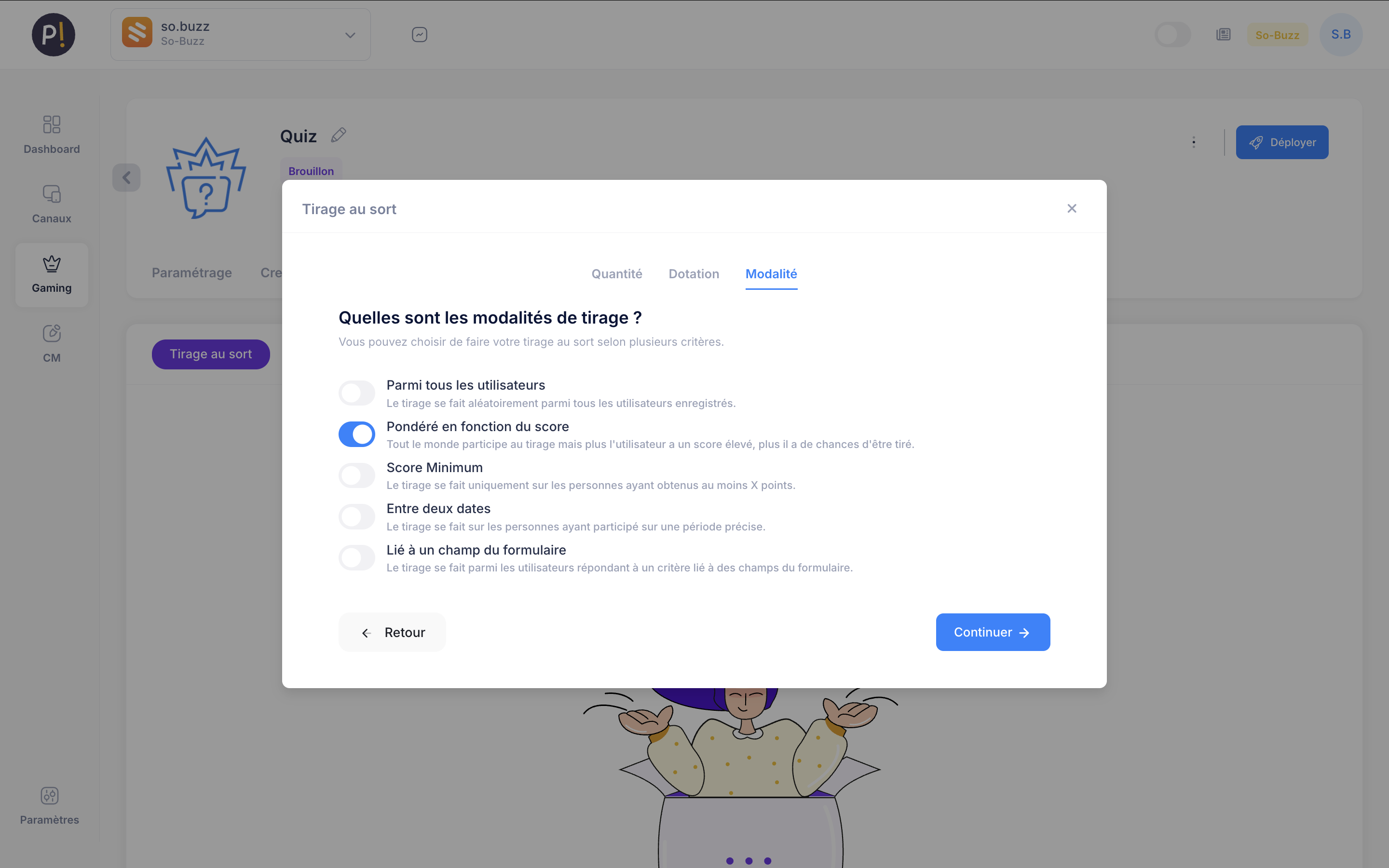
Pinaplay offers several selection criteria (which vary by game mechanic) for designating your winners:
- From all participants: a purely random draw from every entry
- Weighted by score: higher scores increase the probability of being selected
- Minimum score: only participants who achieved at least this score are eligible
- Between two dates: participants who entered within a given time window
- Based on a form field: selected according to a specific answer given in the entry form
Managing winners
Once the draw has been run, you can:
- View the list of winners
- Export the data in CSV or Excel format
- Automatically send an email to winners
- Select replacement winners if needed
Social media draws
For campaigns running on social media, you can filter participants according to specific criteria:
- Comments containing a specific keyword
- Users who tagged a friend
- Exclusion of duplicates and fake accounts
Pinaplay's anti-fraud system automatically detects suspicious entries to guarantee the fairness of the draw.