
Advanced Advent Calendar
Add point-based mechanics behind the doors and run a leaderboard throughout the calendar.
The Advanced Advent Calendar includes all the features of the classic Advent Calendar and adds two new ones: a wider choice of mechanics behind the doors, and a leaderboard based on the points earned by participants.
Global settings (days, weekends, door locking...), visual customisation and prize management work exactly as they do for the classic calendar. See the Advent Calendar page to configure them.
Available game mechanics
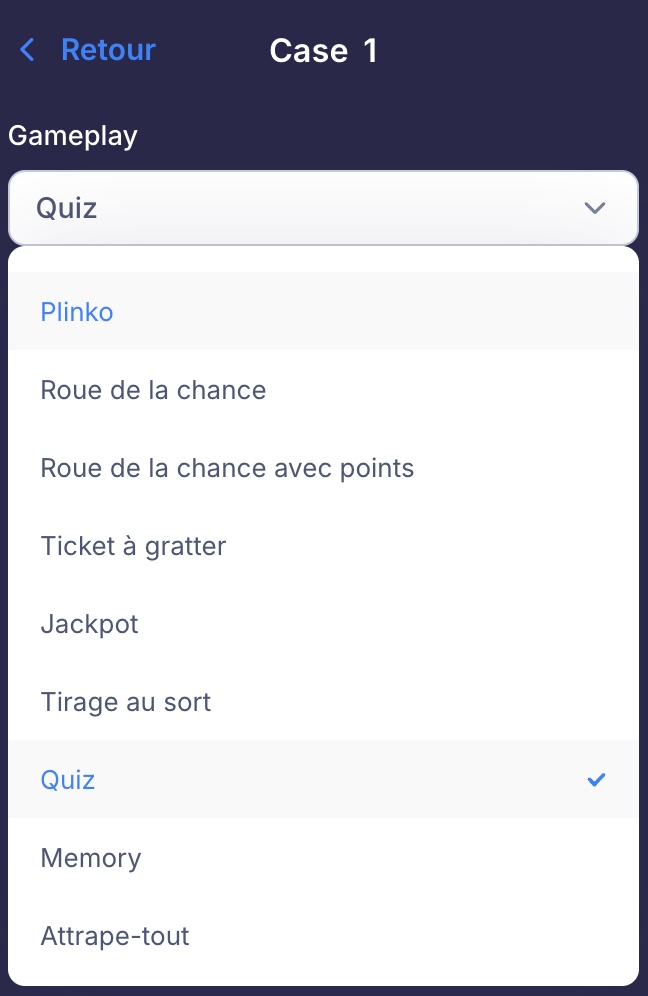
When configuring each door, the "Gameplay" menu offers the following mechanics:
- Plinko
- Wheel of fortune
- Wheel of fortune with points: each segment of the wheel awards a number of points
- Scratch card
- Jackpot (slot machine)
- Prize draw
- Quiz: correct answers earn points
- Memory: the participant finds the matching pairs of cards
- Catch-all: the more objects the participant catches, the higher their score
Alternate games of chance (wheel, scratch card, jackpot...) with games of skill or knowledge (quiz, memory, catch-all) to give everyone a chance to climb the leaderboard.
Scoring
On the "Advent Calendar" screen of the Creator Studio, the "Scoring" menu lets you set the points to be won for each gameplay.
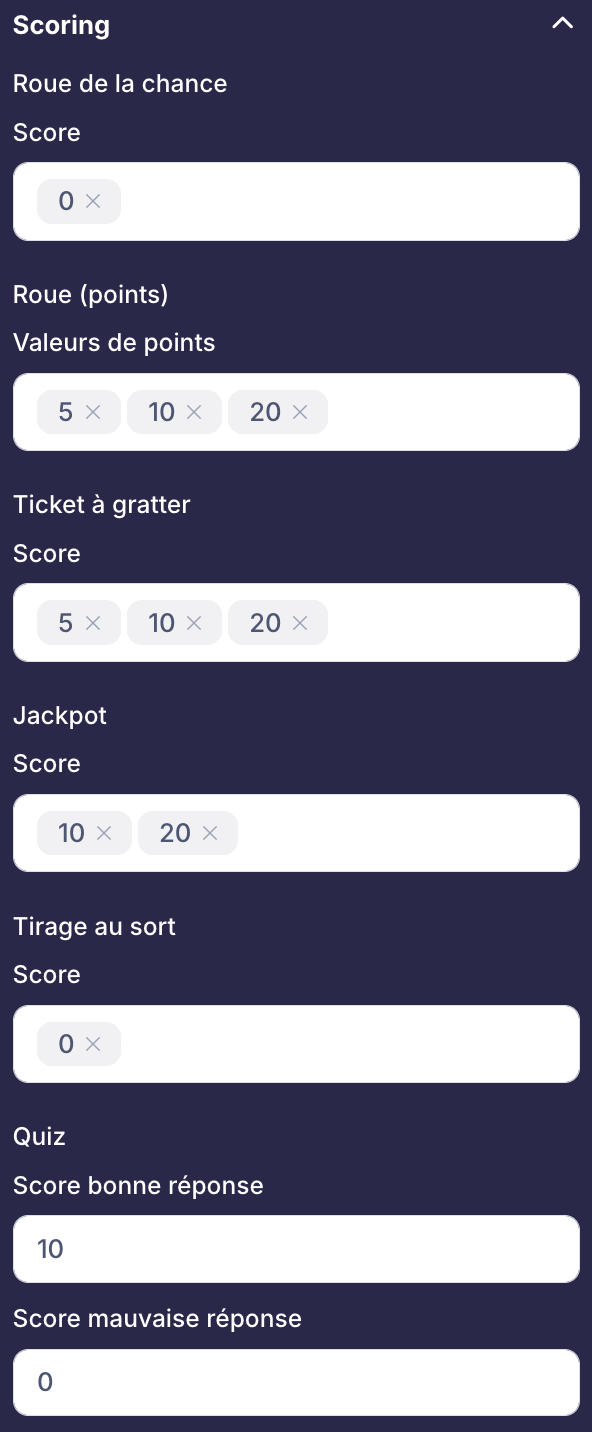
You can enter several values per gameplay: points are then awarded randomly from these values. For example, with 5, 10 and 20 for the Scratch card, the participant randomly wins 5, 10 or 20 points.
- Wheel (points): the point values shown on the wheel segments
- Quiz: a score for each correct answer and a score for each wrong answer
- Score of 0: the gameplay awards no points (like the Wheel of fortune and the Prize draw in the example above)
Points leaderboard
The points won at each door, based on the values set in Scoring, feed a single leaderboard for the whole calendar. Each day, the points a participant earns are added to their total.
- Long-term engagement: participants come back every day to collect points and improve their ranking
- Friendly competition: the leaderboard creates healthy rivalry between participants, especially effective for internal use between employees or teams
- Reward the most dedicated: you can reward the top of the leaderboard at the end of the calendar
Leaderboard options
In the Creator Studio, the "Leaderboard" screen includes an "Options" menu to configure how it is displayed:
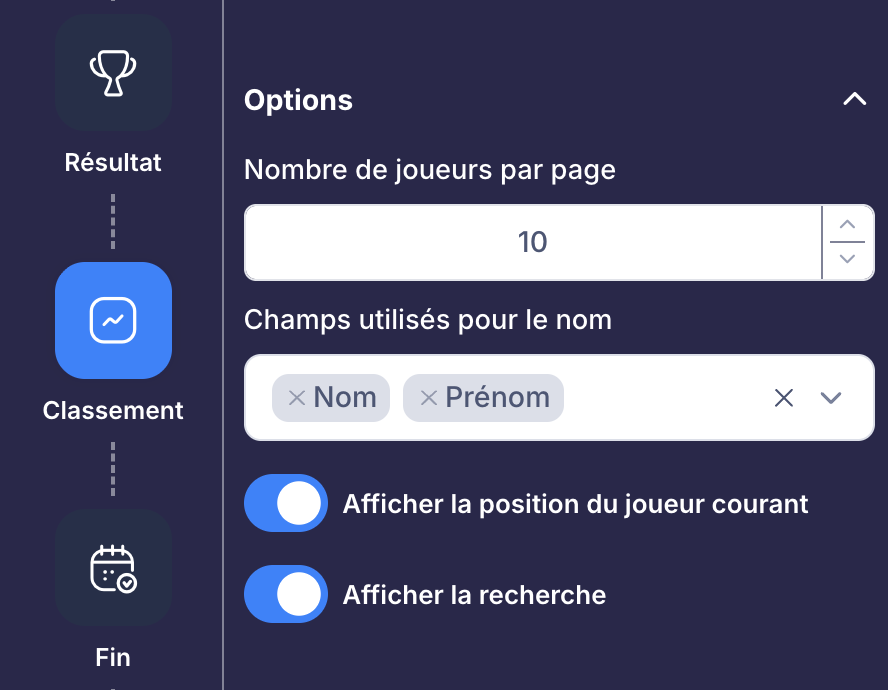
- Number of players per page: the number of participants shown on each page of the leaderboard
- Fields used for the name: the registration form fields displayed to identify each participant (usually Last name and First name)
- Show current player's position: displays a block with the logged-in participant's position and score
- Show search: adds a search field to find a participant by their last name or first name
Secondary leaderboards
The "Secondary leaderboards" menu lets you add one or more leaderboards alongside the general leaderboard. This is especially useful for internal use: for example, you can offer employees a leaderboard by department, team, entity or region.
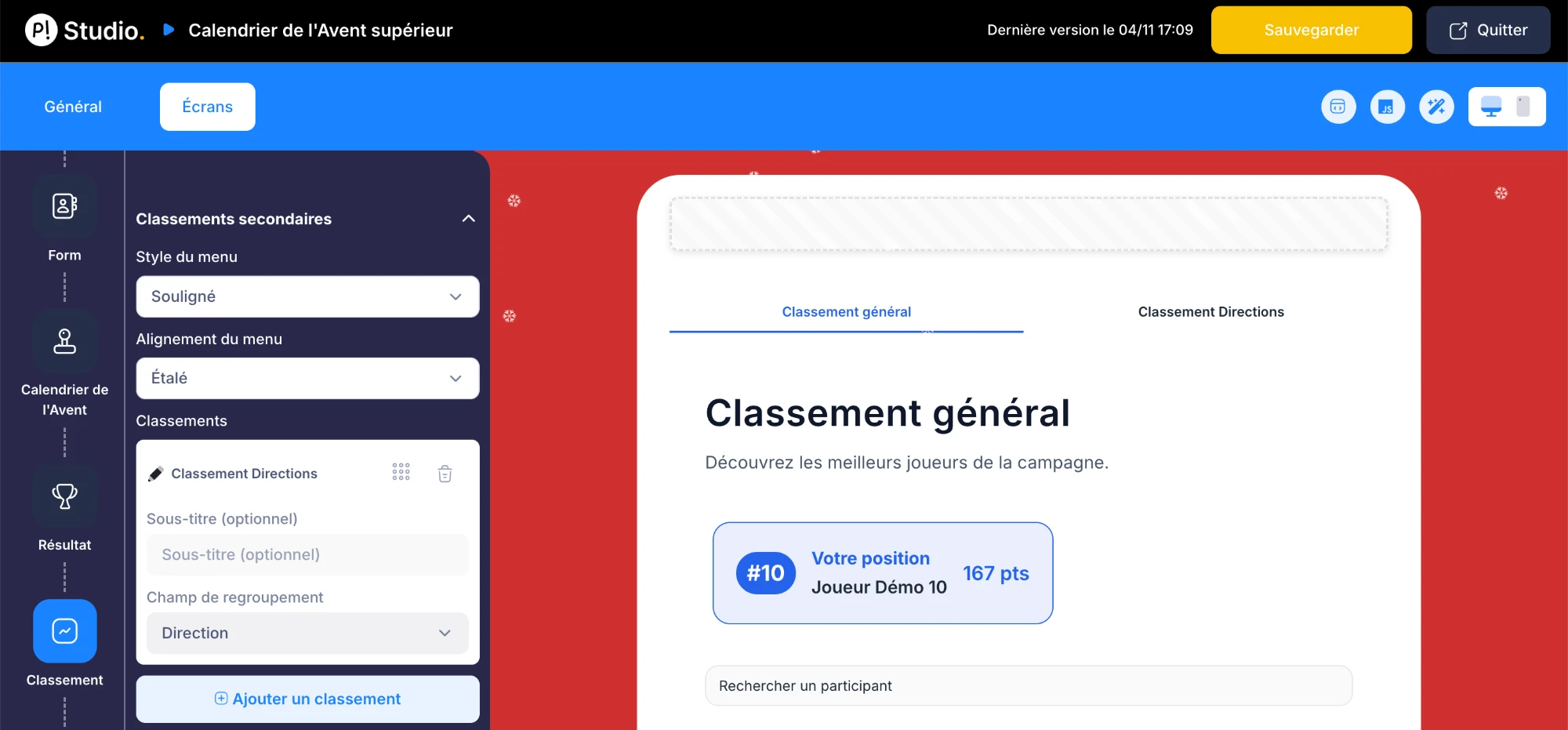
To create a secondary leaderboard:
- Click "Add a leaderboard"
- Set the tab title: it appears on the Leaderboard page next to the "General leaderboard" tab
- Choose the grouping field from the registration form fields: participants are grouped according to the value they entered
In the example above, a "Department" field was requested in the registration form. The "Departments leaderboard" uses this field to rank departments against each other. Remember to add the grouping field to your form before configuring the leaderboard.